

Phobos Space Marine Armor Guide

The Phobos Space Marine Armor set takes the successful design elements and philosophy of my standard Mark X "Primaris Space Marine Armor" set and streamlines it into a lighter, stealth focused package.
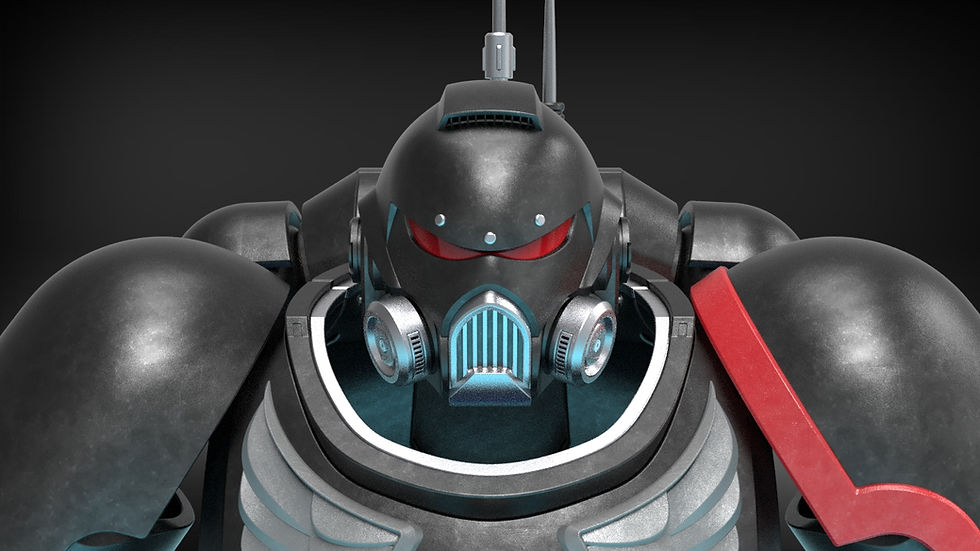
Generic ornamentation as well some chapter specific ornaments have been included from the base space marine armor set. They are all separately printable, so you can add whatever ornaments you wish to fully customize your set as you wish. Contact me if there are specific ornaments you would like to see.
Various Armor editions have been commissioned and are now available in store. These include ornamentation for Dark Angels and Deathwatch, with Space Wolves additions arriving soon.
This Build Guide will list the following:
Required materials to complete the project
Assembly videos to walk you through the assembly process
Recommendations for Print Settings/Orientations for certain pieces
Any additional questions you have concerning the building of this model can be sent directly to me via the contact page on my website
Build Requirements
All the requirements below assume printing around 100% scale. At 100% Scale, this armor is designed to fit a 6ft person. Many of the tolerances for things like magnets and straps should still work 10% in either direction.
Any 3D Printer with build volume as small as 250^3 mm.
All larger pieces come with sliced options that fit the above dimension. Depending on chosen print scale, some default pieces can be in the 400-450mm range.
The armor is very large and depending on the chosen scale and supports, could range anywhere between 10-20 Rolls.
Nylon Straps -
The entire armor set was designed to accommodate nylon straps to help fasten the armor to your body comfortably and securely. At base scale, the channels can support up to 2" straps. I included some links below to different straps/elastic/velcro I have used in the past for you to use for this project.
Magnets-
20mm disk magnets are required for the power pack access panels. 10mm Disk Magnets are required for the magnetic neck seal on the helmet.
Optional Hardware
M4 Bolts - can be used to affix the Power Pack Antenna to the Power Pack
Visor Requirements
The visor can either be printed using clear resin/filament or can be printed with regular PLA and used as a template to cut out visor from your desired visor material. The visor was designed to work as one flat curved piece so no vacuum forming is necessary.
Phobos Armor Assembly Instructions:
The video below will showcase the assembly of the base armor. Below that are written steps and tips that go along with assembly in the order of the pieces shown in the video. All Ornamentation shown must be glued to the surface of the base armor.
Starting with the soles of the boots, these are definitely optional. The foot armor can slip over regular boots as desired. The soles themselves have a pivot point built into them that pivots around the two joint files included. The 8 slots in each sole are to assist with securing the boots to your foot/inner shoe with straps.

The Toe armor has a hidden strap slots for you to secure them to your inner boot/foot

The Boots contain an articulated joint in the ankle that allows the Sabaton and the Heel Plate to joint to the main boot while also rotating freely around the joint for increased comfort and mobility.
The Shin and Calf Plate have an alignment ridge to help them come together and both slide up into the calf head. It is recommended to eventually glue these into the calf head as the weight of the boot will be suspended from the Calf Head
The Calf Head has a number of different channels and opening to allow for you to secure the Calf Head to your legs.

The Knee Pad slots into the Calf Head.

The Thigh armor contains a rigging channel to secure the shell to the leg as well as holding the thigh armor up to the belt.p

The Belt Buckle, Butt Plate, and Cod Piece all feature hidden strap channel to comfortably connect them to the belt.
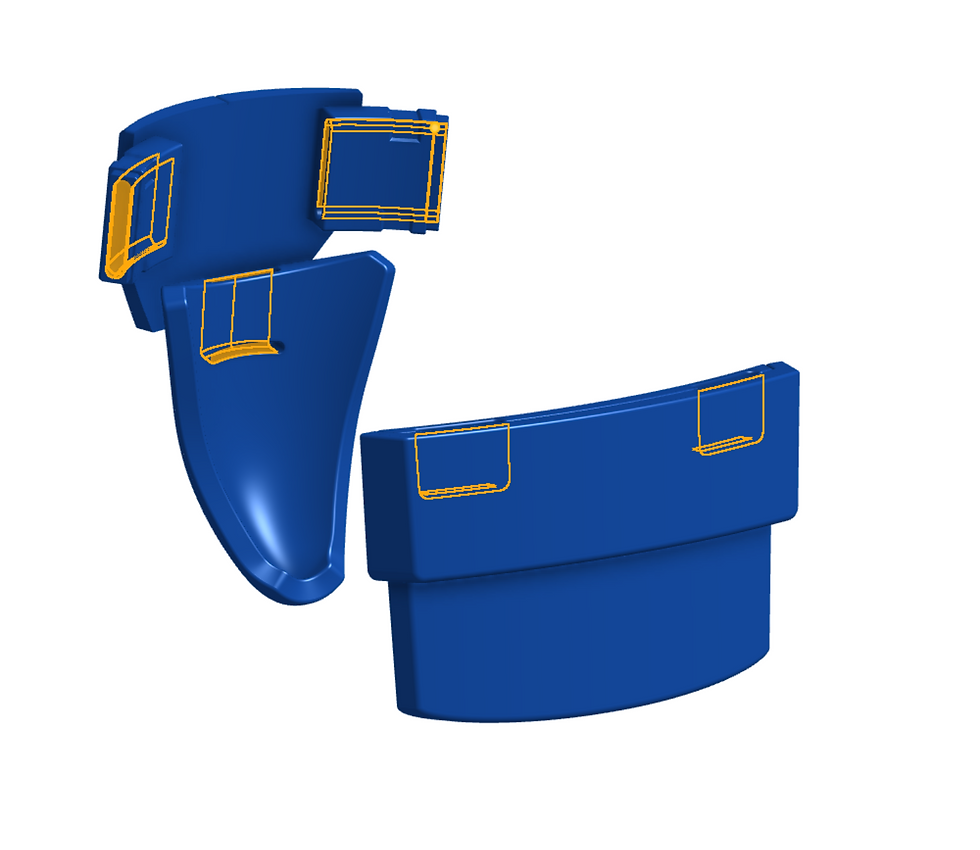
The Power Pack Body all mounts onto the backplate via 12 printable pins.

All other vents, accents and ornaments slot into/onto the main Power Pack Body.
The Jet Mounting Block can be assembled separately before being mounted to the top of the Power Pack Body via 16 mounting pins.

The Access Panels feature slots for 20mm magnets that ensure they stay closed when not in use. The Antenna mounting plate does not inhibit them from being opened or closed. The mounting plate mounts via bolts threaded through the spaces in the vent arms. M4 Bolts will fit through the openings in the antenna mounting plate and should be used along side washers to help secure the antenna mounting plate. There are printable bolt covers to cover the M4 bolts to more closely resemble rivets.


The Torso is all built around securing to the Back Plate. The Back Plate is made to secure to the torso like a back pack with two large cross channels.

The Rib Plates secure to the back plate via pegs. The back plate and rib plates should be glued together.
The Strap cover and Rib Ports can be placed into the combined Back Plate. The Strap Cover will need to be glued in place
The Lumbar Plates can hang from an internal harness/vest inside the chest armor via the integrated strap loops
The Shoulder Plates attach in two different ways, either separately from the biceps via the strappable shoulder variant or via large mounting screws. The biceps with the mounting "horns" should be used in conjunction with the mounting shoulders, there are bicep files without those "horns" that can be used in conjunction with the Strappable shoulder variant. There are also "clean" variants of all the shoulders for any personal mounting systems that you want to pursue.
The arm pieces all function separately but feature their own straps to help affix them to your arm. The biceps contain an additional strap to help hoist them up the arm by affixing them to some central vest or harness.
All the glove pieces should be glued to some separately supplied glove
Helmet Assembly
Starting with the Crown, you can insert both Electronics suites. They fit into the crown from the inside and are held in place by 3 separate pins.
At this point, you can attach the magnetic neck seal at any time as their magnetic compliment sits inside the electronics suite. A row of several 10mm magnets fit into a sleeve in the main helmet and the neck seal

Similarly, the Rebreather Mounting Plate mounts to the crown and the electronic suite via its own 3 pins.
From here, you can decide which face plate variant to use. V1 is the default phobos face plate, V2 is an optional variant, and the Reiver Face plate functions as a singular face plate option that replaces several pieces. Whichever face plate you choose, it will slide in between the rebreather mounting plates and is secured with 4 internal pins. The V1/V2 Face plates have removable visors that can be affixed with mounting pins or simply held in place by the alignment knubs as you flex the visor slightly to insert it into the helmet. Lastly there are two different variants of rebreathers to slide onto the rebreather mounting plate.

Visor Assembly:
Below I have included some pictures of how I used the printable template to cut out the visor. I then attached the visor to the inside of the helmet using a little scotch tape.
General Printing Tips
The pieces are not pre-oriented so you will have to adjust them to ensure they are in an orientation more optimally for printing (flat surfaces touching the build plate). Additionally, for pieces that have no ideal flat surface, I highly recommend using the Cylindric Custom Support downloadable plug-in for the Ultimaker Cura Slicer. It allows you to place custom supports on parts to ensure that you can get much safer and reliable prints on parts with odd geometries. Some of the examples below will show these custom supports, you will need to add them, or something similar to your own prints.
For the Phobos Armor, many of the pieces have a flat face that can directly touch the build plate for easy printing. This is especially true for any of the pieces sliced for smaller printers. All the slices create an easy flat face upon which to print the model.
If you have any specific questions, you can email me directly.
Sizing Rings:
To assist with sizing the helmet, I included a sizing ring. The Sizing Ring represents the narrowest part of the helmet, the throat, so as long as you can slip that past your head, you will have plenty of room on the inside of the helmet.
Optimal Print Orientation
Load Bearing Pegs/Pins
All Pegs/Pins/Bolts should be printed such that the layer lines align with the long axis of the pin, this will make them much less likely to snap off within the pieces due to any bending force.
General Print Orientations
I've combined multiple files into one build plate in order to show multiple orientations at once, I do not recommend printing multiple pieces at once as it will increase overall print time due to excessive travel time, and introduces multi-print failure risks.
In general if you see any circular or semi-circular arcs on any of the prints, you can place a support blocker to reduce the overall number of supports. Arcs like that are typically self supporting and print find without supports.
As many of the armor pieces have obvious flat faces or orientation I will be focusing on the helmet pieces for the rest of this section. Ornamentation will likely require lots of custom supports to print, try to avoid supports on the face that will touch the armor.
The Crown itself can be rotated -150 degrees from the default load angles to achieve the following orientation, This orientation results in no need for any internal supports. The only required supports will be on the rear face of the helmet where it is easily sandable. I like to add some large supports to the outside just to ensure stability towards the end of the print.

The electronic suite, mandible rebreather mounting plate, and all rebreathers have flat faces to keep them stable on the build plate.

Additionally, the face Grills have flat bottoms that allow them to be printed with no supports.


